
Morning and getting-ready coverage
Start by deciding which vendor arrives first. If the photographer covers details and family portraits while the videographer captures motion and audio, the morning feels calmer.
- 2.5 to 3 hours before ceremony: dress, tiara, shoes, bouquet, invitations, makeup finishing, hair details, and quiet reactions.
- 2 hours before ceremony: solo portraits, parents, siblings, grandparents, padrinos, madrinas, and any first-look moment.
- Buffer: Las Vegas heat, hotel elevators, parking garages, and Strip traffic can eat portrait time fast.
Ceremony timing and camera rules
Give photo and vendor teams the ceremony order and rules before rehearsal. Churches and venues may restrict aisle movement, flash, tripods, altar access, microphones, and where cameras can stand.
Mark which moments need both photo and vendor: processional, blessing, readings, symbolic traditions, family reactions, recessional, and immediate family portraits.
Portrait window and Las Vegas location move
Use one portrait window instead of scattered stops. Confirm whether the location is a fast personal photo stop or a professional session that needs approval.
For outdoor portraits, early morning and golden hour are usually easier than midday sun. For hotels, casinos, museums, and private venues, ask about professional cameras, tripods, lighting, props, quince dresses, and large groups before the day.
Pair this page with the Las Vegas location guide and the photographer planning guide.
Reception traditions, music cues, and vendor handoff
Reception coverage works best when the DJ, MC, photographer, videographer, parents, and planner share the same cue sheet.
- Grand entrance and family introductions.
- Vals, surprise dance, father-daughter or family dance, and open dance floor.
- Toast, prayer, speeches, shoe change, last doll, cake, bouquet, and closing moments.
- Mariachi or banda performance timing, where musicians stand, and whether audio can be recorded cleanly.
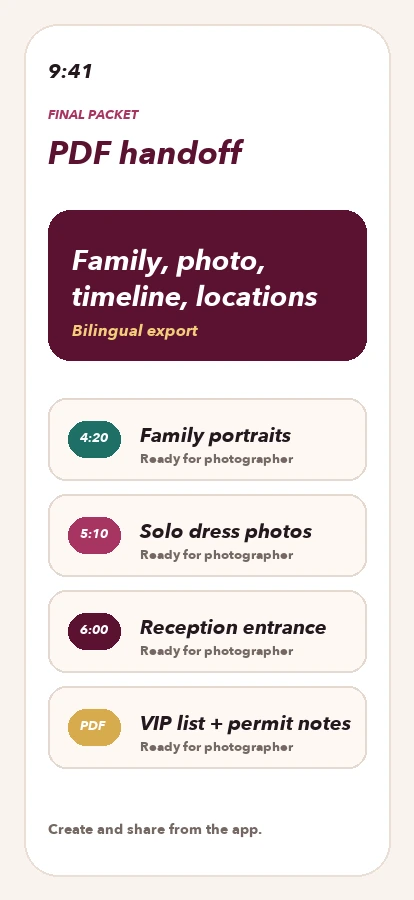
Export the plan from the app as one vendor handoff so the photo and vendor teams are not working from separate message threads.
What becomes the working timeline in the app
This page shows the local structure, but the final schedule depends on ceremony time, venue access, traffic, beauty timing, family, court, and vendors. In the app, each block should have a time, owner, location, delay buffer, contact, and photo or video priority.
A family's full plan does not belong on a public page. The value is saving the private details, ordering the moments, and exporting a bilingual handoff for the photographer, videographer, DJ, mariachi, coordinator, and family helpers.
- Fixed: ceremony, reception, grand entrance, vals, toast, and dinner.
- Flexible: portraits, travel, touch-ups, rest time, and outfit changes.
- Backup: indoor location, emergency contact, and weather or traffic changes.